I am building Videocrawl (https://www.videocrawl.dev/), an AI companion app for videos. The application aims to improve my learning experience while watching videos. Most of my feature ideas come from using the application, identifying gaps in the experience, implementing solutions, testing them in production, learning from actual usage, and then making further improvements. This development cycle continues iteratively. I use LLMs for writing most of the code, primarily relying on Claude for my chat-driven development workflow.
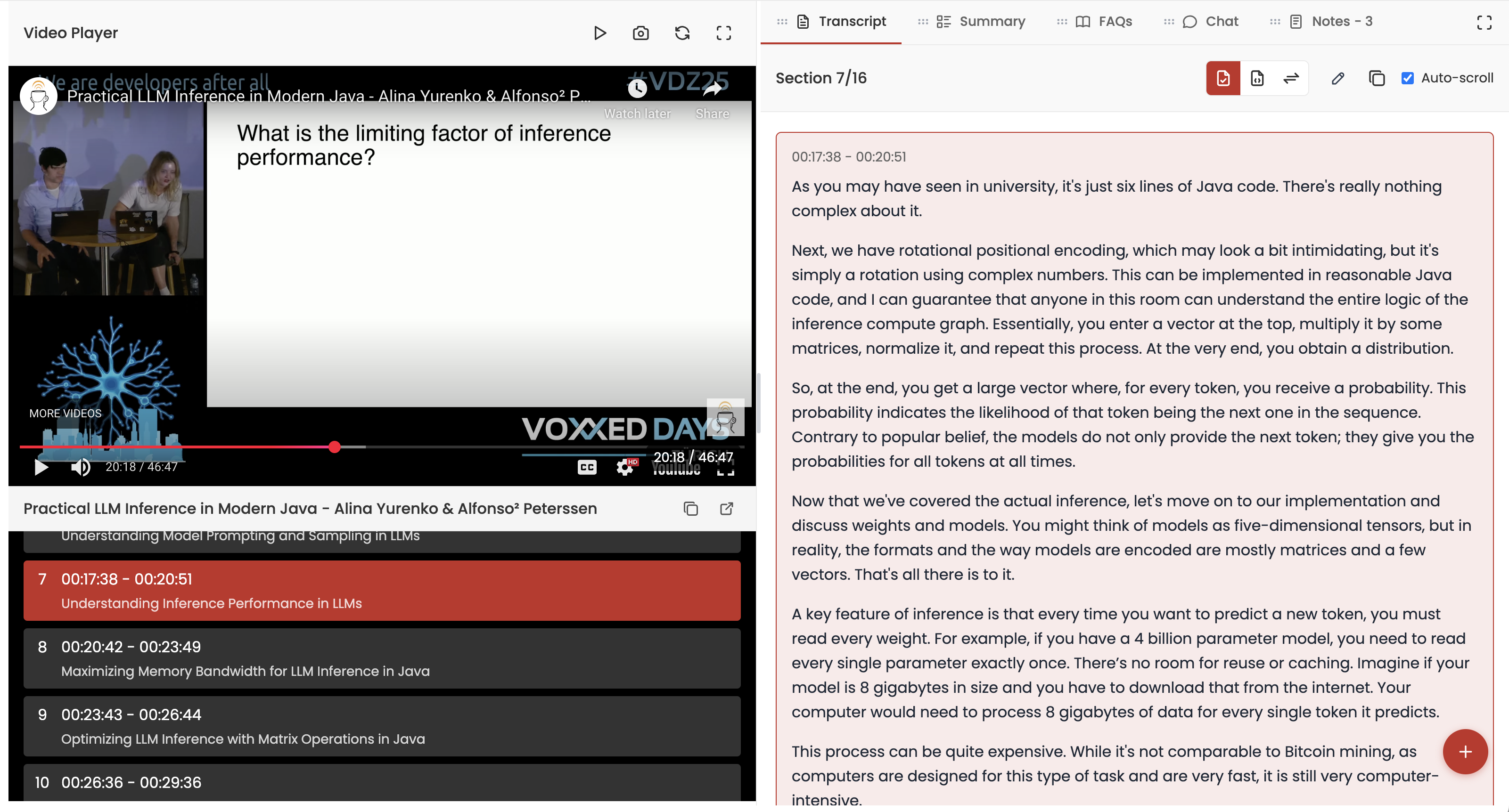
Videocrawl works by processing a YouTube video URL that you provide. We then present a side-by-side view with the video on the left and various LLM tools (clean transcript, summary, chat, and FAQs) on the right, as shown below. You can customize the layout based on your workflow preferences.
One feature I recently wanted to add was the ability to take a screenshot of the current video frame and save it as a note. We already supported text-based notes, so this seemed like a natural extension.
The concept was straightforward: when the user presses a camera button or uses a keyboard shortcut, we capture the current video frame and save it to their notes. Without LLMs, I would likely have avoided implementing such a feature, as it would require extensive research and trial-and-error. However, with LLMs, I felt confident that I could successfully attempt this implementation.
Continue reading “How I Built Videocrawl’s Screenshot Feature with Claude”