A recent paper by the Salesforce AI research team describes a method for generating function-calling datasets for Large Language Models (LLMs). Function calling enables LLMs to interact with external systems, like remote APIs, databases, or in-process code. This equips LLMs with tools to perform specific actions, such as retrieving weather information, booking reservations, or fetching stock data from APIs.
If you’re unfamiliar with function calling, refer to the OpenAI docs to learn more.
This post explores practical takeaways for developers building LLM applications.
One of the useful LLM tools I’ve recently started using is the llm Python CLI by Simon Willison. It simplifies playing with different LLM models from the command line and allows you to build quick scripts by piping together multiple command-line utilities.
On macOS, you can install llm using brew:
brew install llm
In my daily work, I frequently use LLMs for summarization. Summarization can take many forms, and there’s no single best way to summarize a given text. To address this, I built a CLI using the llm tool that extracts text from a web URL and then summarizes it for me.
The core of the script is the following one-line command:
For the past year, I’ve been building applications using Large Language Models (LLMs). A common task I’ve used LLMs for is extracting structured information from unstructured text.
Imagine you’re an IT service provider like Accenture with a set of customer case studies. You want to extract specific information from each case study, such as: customer name, industry, the business problem addressed, technologies used in the solution, whether it’s a cloud-native solution or not, if it utilizes AI, and the project duration.
from pydantic import BaseModel

class CaseStudy(BaseModel):
    client_name: str
    industry: str
    country: str
    business_problem: str
    technologies: list[str]
    is_cloud_native_solution: bool
    uses_ai: bool
    project_duration: int
If you have been following LLMs you know that most closed source(even some open source) LLMs support structured outputs. For example, OpenAI has JSON mode that always return JSON object that make sense for your use case.
Let’s use OpenAI JSON mode to extract the relevant information.
#1. Impact of answer generation prompt on response
Researchers investigated how different prompting techniques affect how well a large language model (LLM) uses information retrieved by a Retrieval-Augmented Generation (RAG) system. The study compared three prompts: “strict” which told the model to strictly follow the RAG information, “loose” which encouraged the model to use its judgement based on context, and “standard”. Following were the definitions of these prompts.
As mentioned in the paper
We observe lower and steeper drops in RAG adherence with the loose vs strict prompts, suggesting that prompt wording plays a significant factor in controlling RAG adherence.
This suggests that the way you ask the LLM a question can significantly impact how much it relies on the provided information. The study also looked at how these prompts affected different LLMs, finding similar trends across the board. Overall, the research highlights that carefully choosing how you prompt an LLM can have a big impact on the information it uses to answer your questions.
The above also implies that for the problems where you only want to guide the LLM answer generation you can rely on standard or loose prompt formats. For example, I am building a learning tool for scrum masters and product owners. In this scenario I only want to use the retrieved knowledge for guidance purpose so using standard or loose prompt formats make sense.
# 2. Likelihood of a model adhering to retrieved information in RAG settings change with the model’s confidence in its response without context
The second interesting point discussed in the paper is relationship between model’s confidence in its answer without context and retrieved information. Imagine you ask a large language model a question, but it’s not sure if the answer it already has is the best. New information is then provided to help it refine its response. This information is typically called context. The study here shows that the model is less likely to consider this context if it was very confident in its initial answer.
As the model’s confidence in its response without context (its prior probability) increases, the likelihood of the model to adhere to the retrieved information presented in context (RAG preference rate) decreases. This inverse correlation indicates that the model is more likely to stick to its initial response when it is more confident in its answer without considering the context. This relationship holds true across different domain datasets and is influenced by the choice of prompting technique, such as strictly adhering or loosely adhering to the retrieved information. The tension between the model’s pre-trained knowledge and the information provided in context is highlighted by this inverse correlation.
We can use logprobs to calculate the confidence score
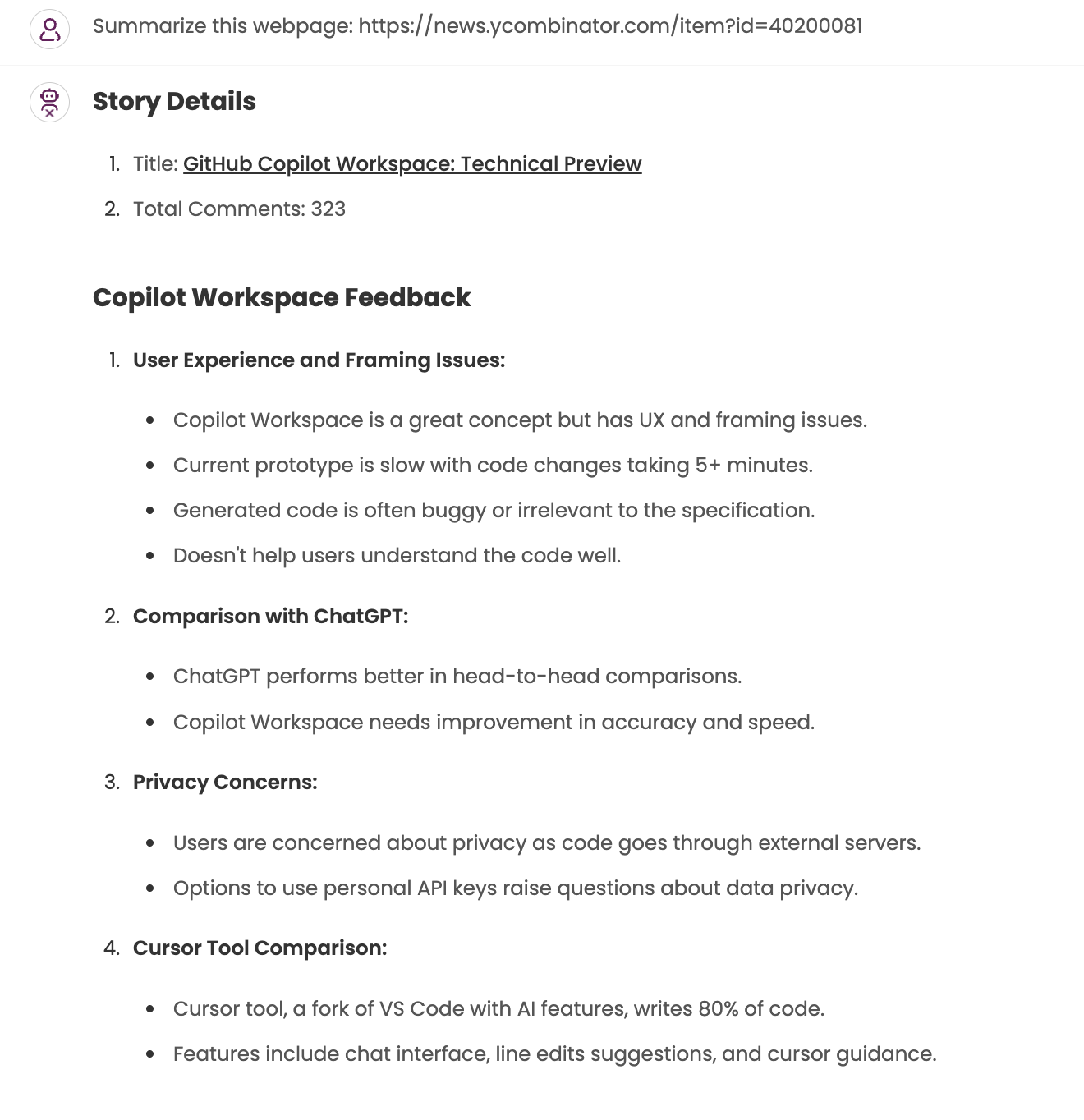
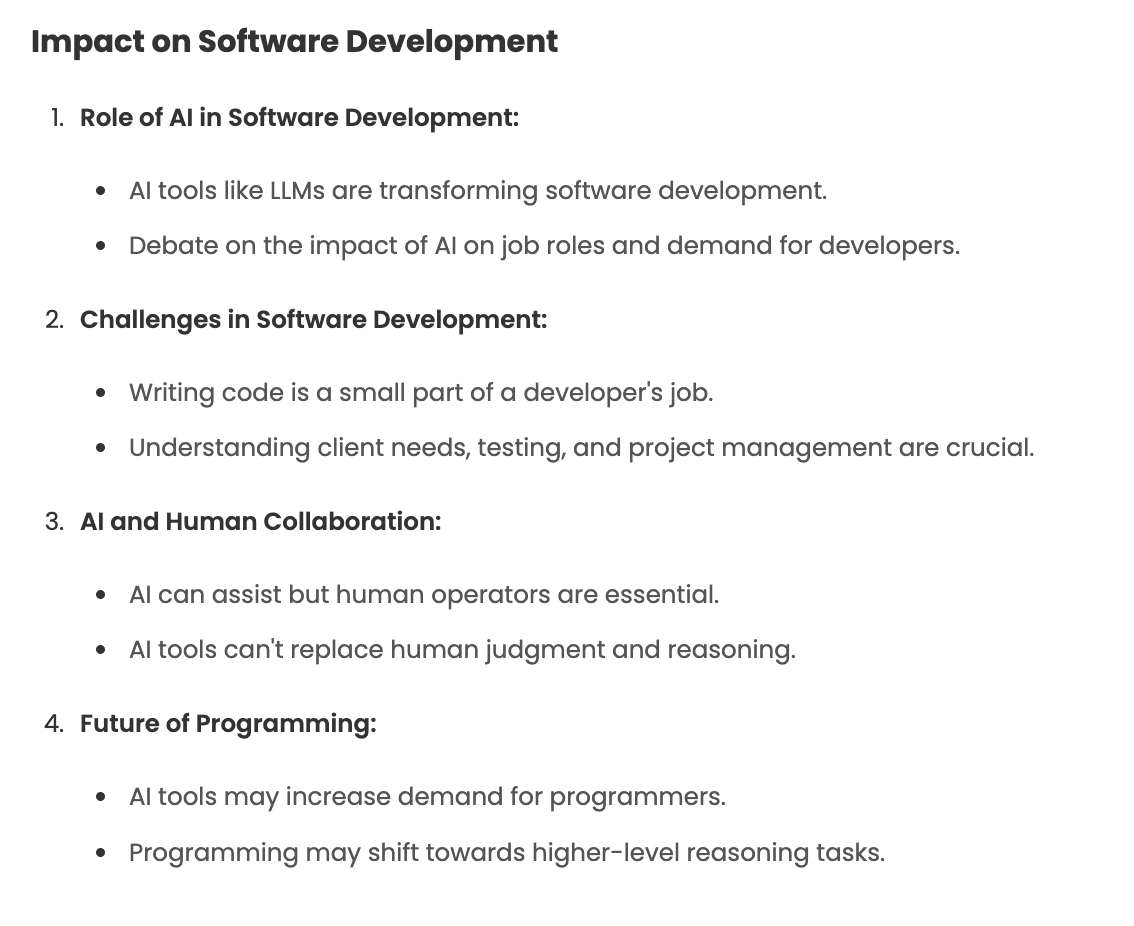
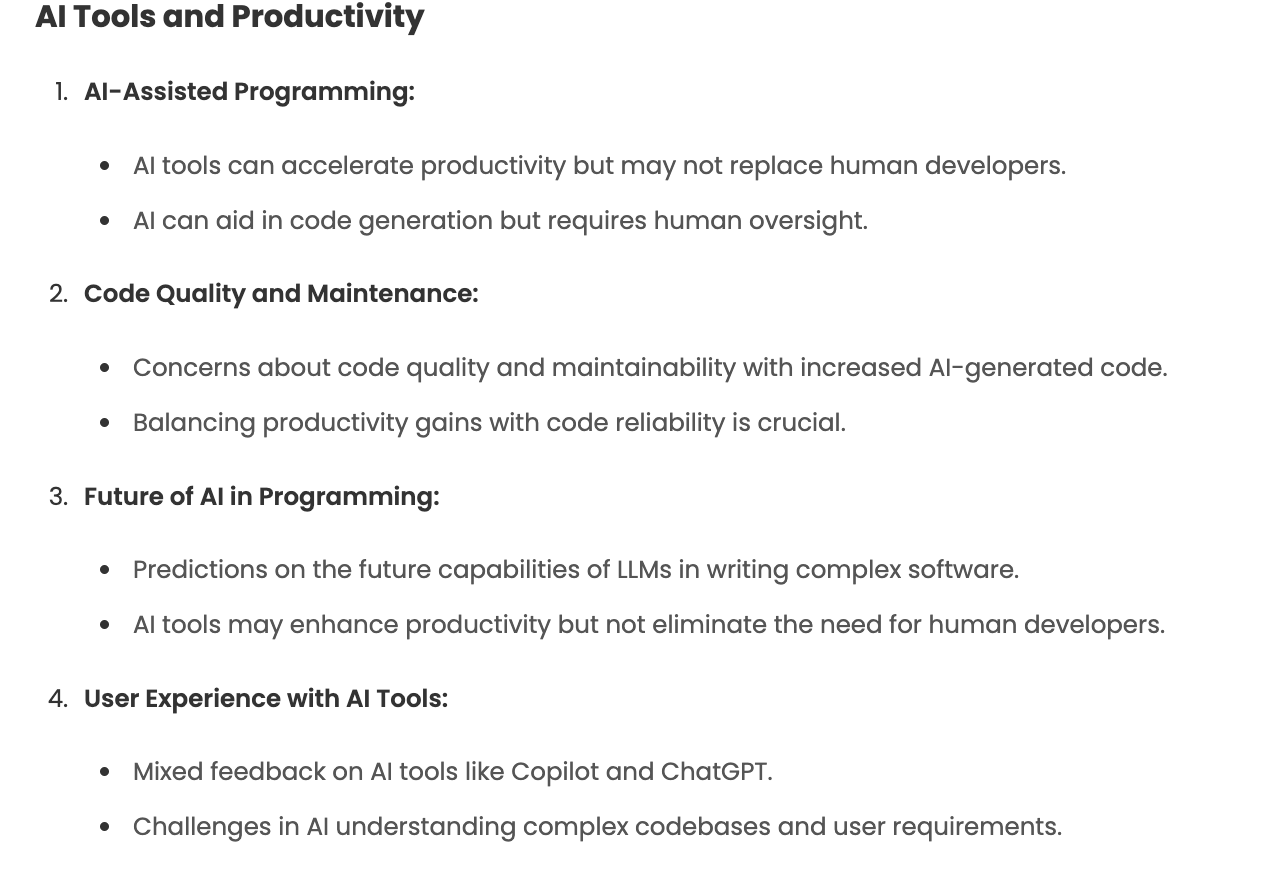
I have started to build many small, single purpose tools using LLMs and Generative AI that helps improve my productivity. I add these little tools to my web UI based AI assistant. One such tool that I built recently is summarising long HackerNews discussions.
For example, the thread on GitHub Copilot Workspace: Technical Preview which has 323 comments my tool generated following summary.
The above summary is generated using the below prompt.
You are a key point extractor and summarizer.
You are given HackerNews comments for a story and you have to extract key points from these comments.
You have to group the key points in logical groups. Each group should not have more than 5 points.
You should come up with a group name that you will use in the generated response.

Response should be in following format.

## Story Details
1. Title: [Title of the story](url)
2. Total Comments: 123

## Logical Group
1. Key point 1
2. Key point 2

## Logical Group
1. Key point 3
2. Key point 4
3. Key point 5
4. Key point 6
For the past six months, I’ve been leading the development of a custom AI assistant for our organization. It began with the straightforward concept of offering an alternative to publicly available chat assistants like OpenAI’s ChatGPT or Google’s Gemini. However, it has evolved into a comprehensive platform powering multiple bots tailored to specific business units, departments, and individual needs.
The feedback on the AI Assistant has been positive, with people reporting productivity gains. It is also helping to break down knowledge and information silos within the organization.
A common question I receive is why we opted to build our own solution instead of leveraging existing assistants like ChatGPT, Perplexity, Microsoft’s Enterprise Copilot, or the plethora of other options available. After all, isn’t the AI chat assistant landscape already saturated? While there are indeed numerous products vying for a slice of this multi-billion dollar market, I believe we are still in its nascent stages. The optimal workflows and functionalities to integrate into these tools are still under exploration by all players.
In this blog post, I’ll delve into the reasons why I believe organizations should strongly consider building their own AI assistants. It’s important to clarify that I’m not advocating for everyone to embark on building entirely from scratch.
This week I was going over the latest edition(Volume 27) of Thoughtworks Technology Radar and found the addition of xbar in their Tools section. xbar lets you put output from any script/program in your macOS menu bar. I first wrote about it in October 2021 when I showed how you can use it show WordPress page views analytics in your macOS menu bar.
On remote teams, we sorely lack having a dedicated build monitor in the room; unfortunately, newer continuous integration (CI) tools lack support for the old CCTray format. The result is that broken builds aren’t always picked up as quickly as we’d like. To solve this problem, many of our teams have started using xbar for build monitoring. With xbar, one can execute a script to poll build status, displaying it on the menu bar.
Yesterday I was working with a team that was facing issue with their Kafka related code. The Kafka consumer was failing with the exception
[] ERROR [2022-11-22 08:32:52,853] com.abc.MyKakfaConsumer: Exception while processing events
! java.lang.NullPointerException: Cannot invoke "org.apache.kafka.common.header.Header.value()" because the return value of "org.apache.kafka.common.header.Headers.lastHeader(String)" is null
! at com.abc.MyKakfaConsumer.run(MyKakfaConsumer.java:83)
! at java.base/java.lang.Thread.run(Thread.java:833)
Taking inspiration from Simon Willison[1] I will start posting TIL (Today I learned) posts on something new/interesting I learn while building software. Today, I was working with a colleague on a problem where in our database migration script was working in the dev environment but failing in the staging environment. The customer platform team has mandated that we can’t access database directly and the only way to fix things is via liquibase scripts. In this post I will not discuss if I agree with them or not. That’s a rant for another day.
In our staging environment we were getting following exception
changelog-main.xml::2::author1 was: 8:a67c8ccae76190339d0fe7211ffa8d98 but is now: 8:d76c3d3a528a73a083836cb6fd6e5654
changelog-main.xml::3::author2 was: 8:0f90fb0771052231b1ax45c1x8bdffax but is now: 8:a25ca918b2eb27a2b453d6e3bf56ff77
If you have worked with Liquibase or any other similar database migration tool you will understand that this happens when developer has changed an existing changeset. This causes checksum to change for an existing changset. So, when next time liquibase tries to apply changset it gives validation error and fails.
Developer should never change an existing changeset and this is one thing we make sure we don’t miss during our code reviews.
This week I finally decided to play with GraalVM to build a simple command-line JSON processor based on JsonPath. I find jq syntax too complex for my taste so I decided to build JSON processor based on JsonPath. Since, I wanted to release this as a native executable GraalVM seemed like a good soluton.
GraalVM is a relatively new JVM and JDK implementation built using Java itself. It supports additional programming languages and execution modes, like ahead-of-time compilation of Java applications for fast startup and low memory footprint.