Prompt Engineering Lessons We Can Learn From Claude System Prompts

Anthropic published Claude’s System prompts on their documentation website this week. Users spend countless hours getting AI assistants to leak their system prompts. So, Anthropic publishing system prompt in open suggest two things: 1) Prompt leakage is less of an attack vector than most people think 2) any useful real world GenAI application is much more than just the system prompt (They are compound AI systems with a user friendly UX/interface/features, workflows, multiple search indexes, and integrations).

Compound AI systems, as defined by the Berkeley AI Research (BAIR) blog, are systems that tackle AI tasks by combining multiple interacting components. These components can include multiple calls to models, retrievers or external tools. Retrieval augmented generation (RAG) applications, for example, are compound AI systems, as they combine (at least) a model and a data retrieval system. Compound AI systems leverage the strengths of various AI models, tools and pipelines to enhance performance, versatility and re-usability compared to solely using individual models.

Anthropic has released system prompts for three models – Claude 3.5 Sonnet, Claude 3 Opus, and Claude 3 Haiku. We will look at Claude 3.5 Sonnet system prompt (July 12th, 2024) . The below system prompt is close to 1200 input tokens long.

Continue reading “Prompt Engineering Lessons We Can Learn From Claude System Prompts”
Using ffmpeg, yt-dlp, and gpt-4o to Automate Extraction and Explanation of Python Code from YouTube Videos

Today I was watching a video on LLM evaluation https://www.youtube.com/watch?v=SnbGD677_u0. It is a long video(2.5 hours) with multiple sections. There are multiple speakers covering different sections. In one of the sections speaker showed code in Jupyter notebooks. Because of the small font and pace at which speaker was talking it was hard to follow the section.

I was thinking if I could use youtube-dlp along with an LLM to solve this problem. This is what I want to do:

  1. Download the specific section of a video
  2. Take screenshot of different frames in that video section
  3. Send the screenshots to LLM to extract code
  4. Ask LLM to explain the code in a step by step manner
Continue reading “Using ffmpeg, yt-dlp, and gpt-4o to Automate Extraction and Explanation of Python Code from YouTube Videos”

How I use LLMs: Building a Tab Counter Chrome Extension

Last night, I found myself overwhelmed by open tabs in Chrome. I wondered how many I had open, but couldn’t find a built-in tab counter. While third-party extensions likely existed, I am not comfortable installing them.

Having built Chrome extensions before (I know, it’s possible in a few hours!), the process usually frustrates me. Figuring out permissions, content scripts vs. service workers, and icon creation (in various sizes) consumes time. Navigating the Chrome extension documentation can be equally daunting.

These “nice-to-have” projects often fall by the wayside due to the time investment. After all, I can live without a tab counter.

LLMs(Large Language Models) help me build such projects. Despite their limitations, they significantly boost my productivity on such tasks. Building a Chrome extension isn’t about resume padding; it’s about scratching an itch. LLMs excel in creating these workflow-enhancing utilities with automation. I use them to write single-purpose bash scripts, python scripts, and Chrome extensions. You can find some of my LLM wrapper tools on GitHub here.

Continue reading “How I use LLMs: Building a Tab Counter Chrome Extension”

Building a Bulletproof Prompt Injection Detector using SetFit with Just 32 Examples

In my previous post we built Prompt Injection Detector by training a LogisticRegression classifier on embeddings of SPML Chatbot Prompt Injection Dataset. Today, we will look at how we can fine-tune an embedding model and then use LogisticRegression classifier. I learnt this technique from Chatper 11 of Hands-On Large Language Models book. I am enjoying this book. It is practical take on LLMs and teaches you many practical and useful techniques that can one can apply in their work.

We can fine-tune an embedding on the complete dataset or few examples. In this post we will look at fine tuning for few shot classification. This technique shines when you have only a dozen or so examples in your dataset.

I fine-tuned the model on RunPod https://www.runpod.io/. It costed me 36 cents to fine tune and evaluate the model. I used 1 x RTX A5000 machine that has 16 vCPU and 62 GB RAM.

Continue reading “Building a Bulletproof Prompt Injection Detector using SetFit with Just 32 Examples”

A look at Patchwork: YC backed LLM Startup

In the last couple of days, I’ve spent some hours playing with Patchwork. Patchwork is an open-source framework that leverages AI to accelerate asynchronous development tasks like code reviews, linting, patching, and documentation. It is a Y Combinator backed company.

The GitHub repository for Patchwork can be found here: https://github.com/patched-codes/patchwork.

Patchwork offers two ways to use it. One is through their open-source CLI that utilizes LLMs like OpenAI to perform tasks. You can install the CLI using the following command:

pip install 'patchwork-cli[all]' --upgrade

The other option is to use their cloud offering at https://app.patched.codes/signin. There, you can either leverage predefined workflows or create your own using a visual editor.

This post focuses on my experience with their CLI tool, as I haven’t used their cloud offering yet.

Patchwork comes bundled with six patchflows:

  • GenerateDocstring: Generates docstrings for methods in your code.
  • AutoFix: Generates and applies fixes to code vulnerabilities within a repository.
  • PRReview: Upon PR creation, extracts code diffs, summarizes changes, and comments on the PR.
  • GenerateREADME: Creates a README markdown file for a given folder to add documentation to your repository.
  • DependencyUpgrade: Updates your dependencies from vulnerable versions to fixed ones.
  • ResolveIssue: Identifies the files in your repository that need updates to resolve an issue (or bug) and creates a PR to fix it.

A patchflow is composed of multiple steps. These steps are python code.

To understand how Patchwork works, we’ll explore a couple of predefined Patchflows.

Continue reading “A look at Patchwork: YC backed LLM Startup”

Meeting Long-Tail User Needs with LLMs

Today I was watching a talk by Maggie Appleton from local-first conference. She points out in her insightful talk on homecooked software and barefoot developers, there exists a significant gap in addressing long-tail user needs—those specific requirements of a small group that big tech companies often overlook. This disconnect stems primarily from the industrial software approach, which prioritizes scalability and profitability over the nuanced, localized solutions that users truly require.

The limitations of existing software from big tech companies become evident when we analyze their inability to address the long-tail of user needs. FAANG companies focus on creating solutions that appeal to the mass market, often sidelining niche requirements. For example, Google Maps can efficiently direct users from one location to another, but it fails to offer features like tracking historical site boundaries that may be crucial for a historian or a local community leader.

Continue reading “Meeting Long-Tail User Needs with LLMs”

Putting Constrained-CoT Prompting Technique to the Test: A Real-World Experiment

I was reading Concise Thoughts: Impact of Output Length on LLM Reasoning and Cost paper today and thought of applying it to a problem I solved a couple of months back. This paper introduced the Constrained Chain of Thought (CCoT) prompting technique as an optimization over Chain of Thought Prompting.

Chain of Thought prompting is a technique that encourages LLMs to generate responses by breaking down complex problems into smaller, sequential steps. This technique enhances reasoning and improves the model’s ability to arrive at accurate conclusions by explicitly outlining the thought process involved in solving a problem or answering a question.

When using Zero-shot CoT technique, adding the line “Let’s think a bit step by step” to the prompt encourages the model to first generate reasoning thoughts and then come up with an answer. In Zero-shot CCoT, the prompt is changed to limit the number of words, such as “Let’s think a bit step by step and limit to N words.” Here, N can be any suitable number for your problem.

The paper showed results with N being 15, 30, 45, 60, and 100. CCoT was equal or better than CoT for N 60 and 100. As mentioned in the paper, CCoT technique works with large models but not with smaller ones. If CCoT works as written in the paper, it leads to improved latency, less token usage, more coherent responses, and reduced cost.

One of the interesting LLM use cases I solved lately was building RAG over table data. In that project, we did extensive pre-processing of the documents at the ingestion time so that during inference/query time, we first find the right table in the right format and then answer the query using a well-crafted prompt and tools usage.

In this post, I will show you how to do Question Answering over a single table without any pre-processing. We will take a screenshot of the table and then use OpenAI’s vision model (gpt-4o and gpt-4o-mini) to generate answers using three prompting techniques: plain prompting, CoT (Chain of Thought) prompting, and CCoT (Constrained Chain of Thought) prompting.

Continue reading “Putting Constrained-CoT Prompting Technique to the Test: A Real-World Experiment”

How Developers Utilize DuckDB: Use Cases and Suitability

In the ever-evolving landscape of data management, DuckDB has carved out a niche for itself as a powerful analytical database designed for efficient in-process data analysis. It is particularly well-suited for developers looking for a lightweight, easy-to-use solution for data processing. In this blog, we will explore how developers use DuckDB, delve into common use cases, and discuss why these scenarios are particularly suitable for this innovative database.

What is DuckDB?

Before diving into its applications, let’s briefly introduce DuckDB. Often described as the “SQLite for analytics,” DuckDB provides a robust SQL interface that allows users to perform complex analytical tasks efficiently. Its architecture is designed for embedded usage, meaning it can be easily integrated into applications without the overhead of a separate server. This makes it particularly attractive for data scientists and developers looking for an efficient way to analyze data locally.

Advantages of Columnar Storage

DuckDB utilizes a columnar storage format, which is a significant advantage for analytical workloads. In a columnar database, data is stored by columns rather than rows. This design allows for highly efficient data compression and significantly faster read speeds for analytical queries, as only the relevant columns need to be read from disk. This contrasts with traditional row-based storage, where entire rows must be read, even if only a few columns are required. Columnar storage also enhances memory efficiency, making DuckDB capable of handling larger-than-memory datasets with ease.

Continue reading “How Developers Utilize DuckDB: Use Cases and Suitability”

Making sense of screenshots with CLIP model embeddings

Today I was reading Chapter 9 “Multimodal Large Language Models” of Hands-On Large Language Models book and thought of applying it to a problem I face occassionally. The chapter covers CLIP model and how you can use them to embed both text and images in the same vector space.

Like most normal humans, I take a lot of screenshots, and if I don’t categorize them at the time I took the screenshot, then there’s a lot of manual effort required to find them when I need them. So, I decided to build a quick semantic search on it using the llm utility.

Continue reading “Making sense of screenshots with CLIP model embeddings”

Oreilly Answers: A case study of poorly designed LLM powered RAG system

I enjoy reading books on Oreilly learning platform https://learning.oreilly.com/ . For the past month, a new feature on the Oreilly platform called “Answers” has been staring me down, and I haven’t been tempted to click it. Maybe it’s LLM fatigue, or something else I just didn’t give it a try. I do use LLM tools daily but most of these tools I have designed for myself around my workflows.

Today, I decided to give it a try. If you go to a book page like the one I am reading currently https://learning.oreilly.com/library/view/hands-on-large-language/9781098150952/ you will see Answers icon in the right side bar.

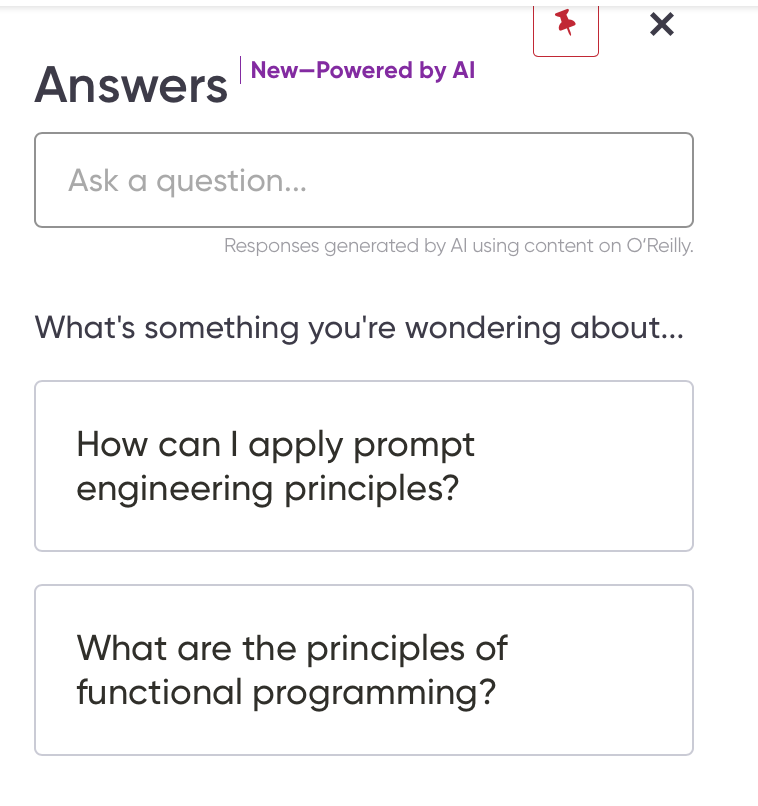
When you click on Answers it will show a standard Chat input box and suggestions. We all have seen them million times by now.

It looks like a standard Retrieval Augmented Generation (RAG) use case. When you ask a question it will search in its knowledge base(some sort of Vector/Hybrid search) and then generate the answer.

Continue reading “Oreilly Answers: A case study of poorly designed LLM powered RAG system”